
Build styles. Play them on your instrument.
The style editor for your arranger keyboard. Write notes just like in your DAW — and send them straight to your instrument as a finished style.
For Mac and Windows · No payment details needed to try
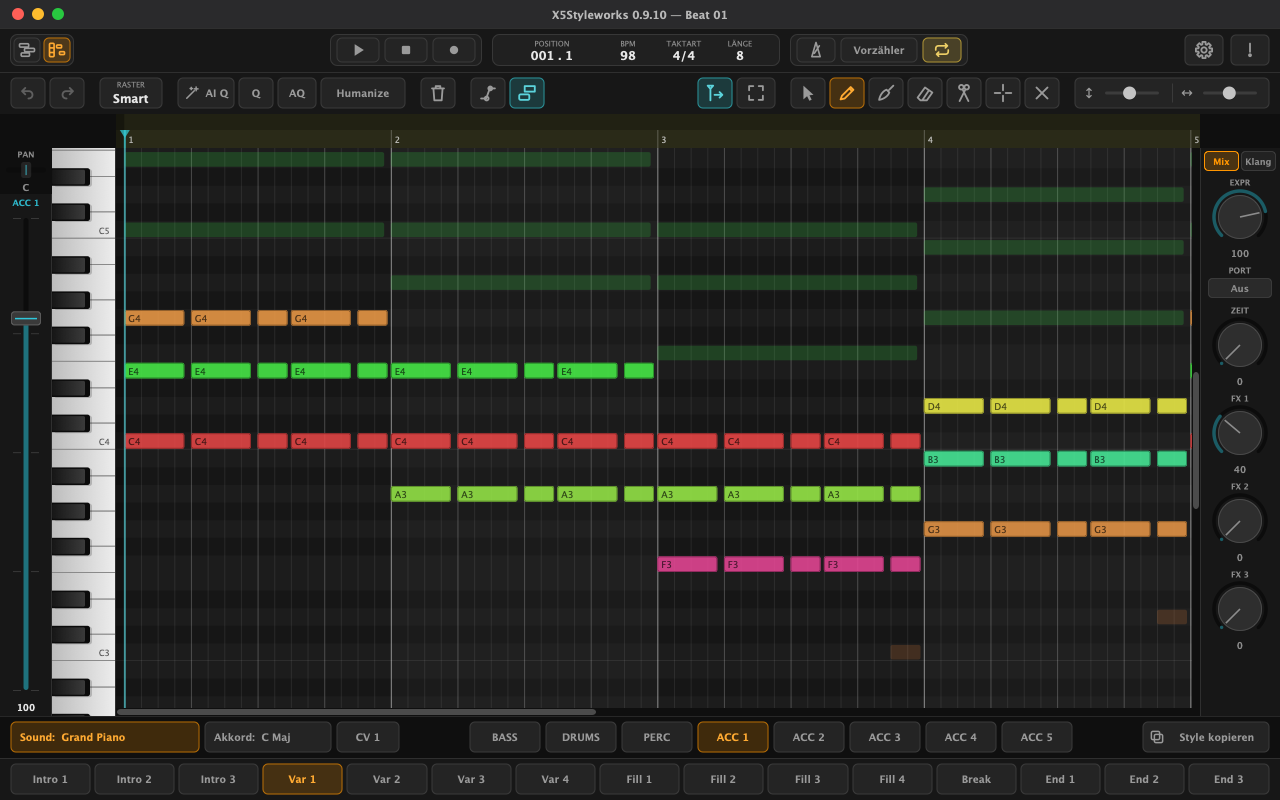
DAW view
The whole style as a timeline.
Regions for every track and element, just like in a DAW: move them, copy them, cut them with the scissors, loop them live. The editor below shows whatever you've selected.
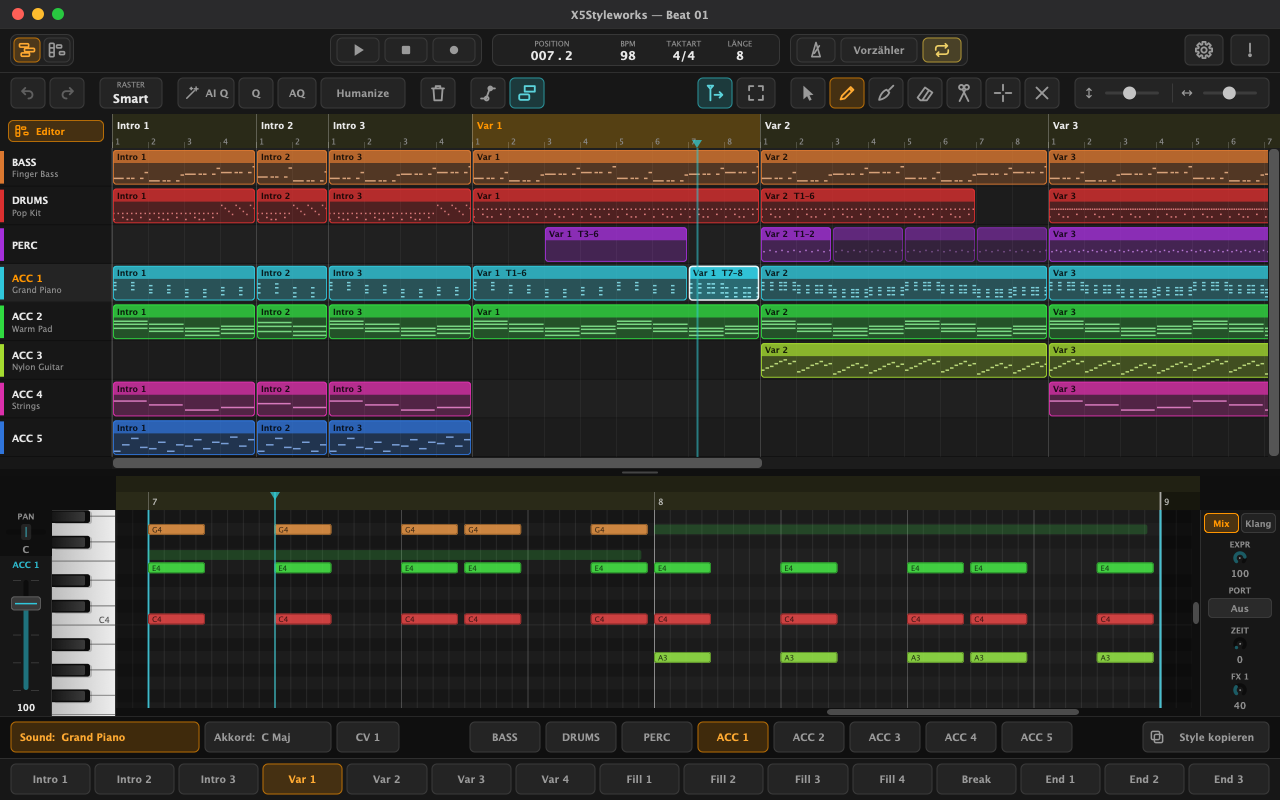
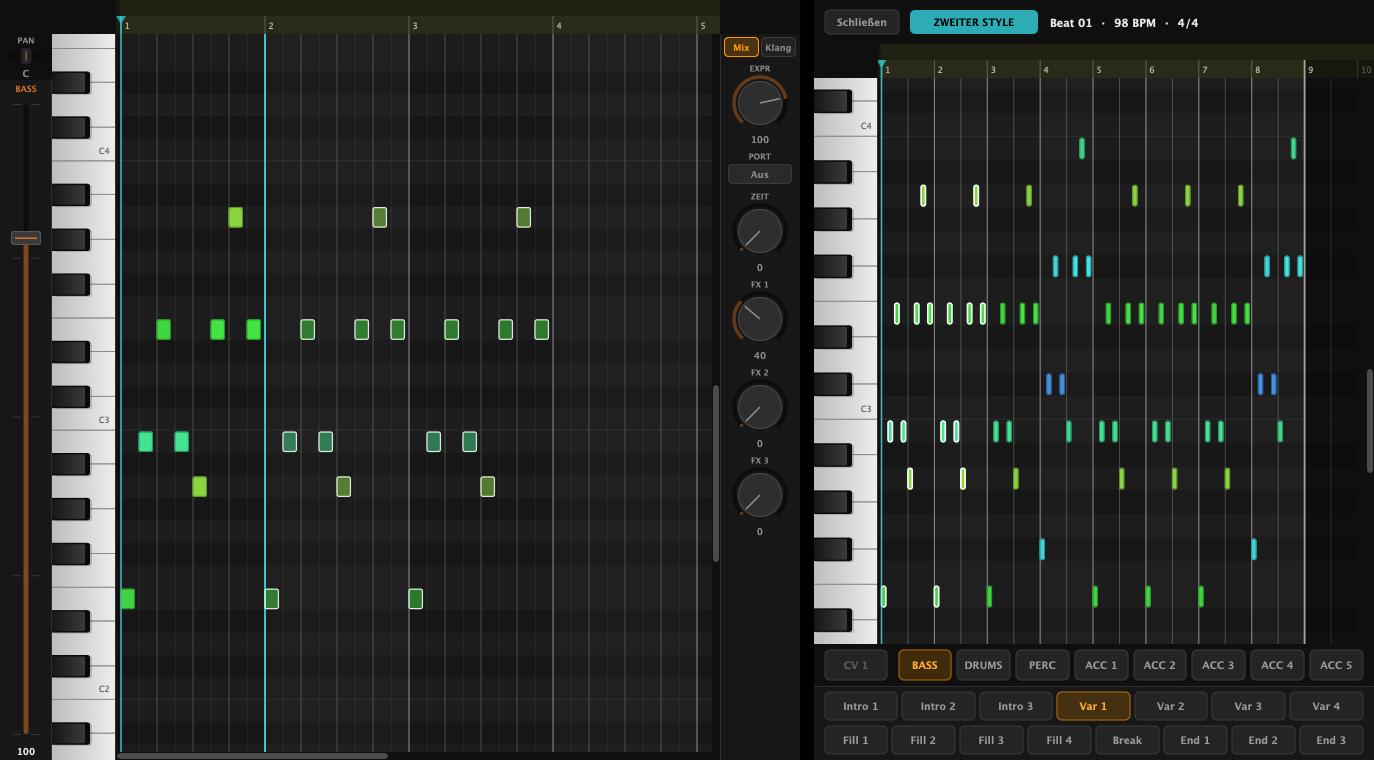
Second style
Copy from other styles.
Open a second style next to yours and drag over whatever you need — a whole element, a track or individual notes.
Features
Everything for your style.
From intro to ending, every track, every variation — in one app, on Mac and Windows.
-
Write just like in your DAW
Draw, cut, quantize — all with undo.
-
The whole style in one place
15 elements, 8 tracks, chord variations — as notes or as a timeline with regions.
-
Copy from other styles
Open a second style alongside and drag over elements, tracks or notes.
-
Humanize in one click
Four levels, as in popular DAWs — each one starts from the original.
-
Record right at your instrument
The app listens to your keys and shows you whether everything is set up correctly.
-
User scale with quarter tones
Set per element — chord follow stays in tune on every root.
-
One click to your instrument
Export as .stg, load it on your instrument — done.
-
Help with pictures
What to set on your instrument, shown step by step.
-

Mac and Windows
One app for both systems, with updates through ZQ Sound Center.
Price
Buy once. Keep it for good.
X5Styleworks 1
€85
Introductory price until 31 December 2026, then €119
One-time payment, VAT included. The licence never expires and covers one computer.
Try free for 7 days-
Free updates for version 1
Every update to X5Styleworks 1 is included. A later new major version (an upgrade) may cost extra — your version keeps working either way.
-
Try it for 7 days first
Free, with no payment details — once per computer. There are no returns after you buy, so take your time testing.
-
You only pay when you buy
By card, PayPal (also in instalments) and more — through our reseller Paddle.
Download
Get started in three steps.
X5Styleworks comes through ZQ Sound Center — where you install, try and update every app from ZQ Sound.
Get ZQ Sound Center
Free, for Mac and Windows — right below.
Create an account
With your email and a password. Then click “7 Tage testen” (try 7 days) next to X5Styleworks. The apps are in German for now.
Install and play
One click on “Installieren” (install) — ZQ Sound Center downloads, installs and activates it for you.
ZQ Sound Center for Mac
macOS 11 or later · for Macs with an M‑series chip or Intel
Download for MacThe first time you open it, macOS asks for confirmation: System Settings › Privacy & Security › “Open Anyway”.
ZQ Sound Center for Windows
Windows 10 or 11 · 64-bit
Download for WindowsUnzip the file, then start “ZQ Sound Center”. If Windows says “Windows protected your PC”, click “More info” › “Run anyway”.
Questions
Good to know.
Do I need an internet connection?
To sign in and activate, yes. After that, X5Styleworks briefly checks your licence each time it starts; without internet it keeps running for up to 14 days.
How many computers does a licence cover?
One. When you get a new computer, install X5Styleworks there in ZQ Sound Center — it asks whether to move the licence. You can move it yourself once every 30 days; if you need to sooner, just write to us.
Do updates cost anything?
No — all updates for X5Styleworks 1 are included in the price. A later new major version (such as X5Styleworks 2) may cost extra; the version you bought keeps working with no time limit.
Can I return X5Styleworks after buying it?
No — that is what the free 7-day trial is for, once per account and per computer. Take your time to check that everything works with your instrument. When you buy, you agree to immediate delivery; your right of withdrawal ends as soon as you download or activate the version you bought. Your statutory rights for defects remain. More under Refunds (German).
I received a code.
In ZQ Sound Center, click “Code einlösen” (redeem code) at the top — the licence is added to your account.
I forgot my password.
In ZQ Sound Center, click “Passwort vergessen?” (forgot password) below the sign-in — we'll email you a link.
Which instruments is X5Styleworks for?
For arranger keyboards that load styles in STG format. The first time you start the app, it shows you with pictures what to set on your instrument.
Is the app available in English?
Not yet — X5Styleworks and ZQ Sound Center are in German for now. This page gives every button you need with its English meaning in brackets.
How do I reach you?
By email at support@zqsound.com or through our contact form (in German).